Halloween AI Photo Prompts: 30+ Best Gemini Ideas for 2026
Halloween AI photo prompts make it easier to turn an everyday selfie into a spooky, cinematic, retro, or glamorous Halloween portrait—without spending hours planning a costume or setting up a photoshoot.
With Google Gemini, ChatGPT, or another AI photo editor, you can try a dreamy Y2K bedroom scene, a Gothic vampire look, a magical witch portrait, a cozy pumpkin-patch photo, a couple’s Halloween picture, or a grainy 1990s horror frame.
Halloween falls on Saturday, October 31, 2026. If you want a seasonal profile picture or a Halloween post ready to share, these prompts give you a simple place to start. Copy one, upload your photo, and adjust the details to match the look you have in mind.
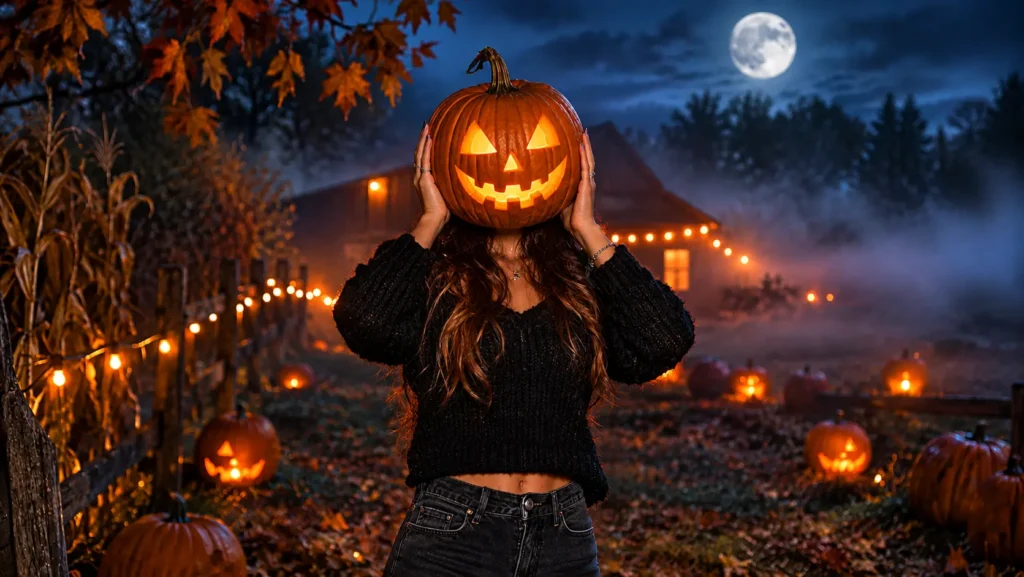
src attribute.Suggested filename: halloween-ai-photo-prompts.webp
Example of a regular selfie transformed into a realistic Halloween AI portrait.
How to Use Halloween AI Photo Prompts in Gemini
You don’t need to write a complicated prompt from scratch. Start with a clear photo of yourself, choose the style you like, and tell the AI what you want the finished picture to look like. The more clearly you describe the scene, the easier it is to get a result close to your idea.
For the best chance of a natural-looking result, use a sharp, front-facing selfie with even lighting. Sunglasses, heavy filters, blurry photos, and group selfies can make it harder for the tool to keep your features consistent.
Step-by-step method
- Open Google Gemini or ChatGPT and choose the image-generation or image-editing option available to you.
- Upload a clear selfie. If you’re making a couple portrait, upload a photo that clearly shows both people.
- Choose one of the Halloween AI photo prompts below and copy it.
- Paste the prompt into the chat box and generate the image.
- If your face changes too much, follow up by asking the tool to keep your original facial features and make fewer changes to your appearance.
- Review the hands, eyes, clothing, and background. If something looks off, ask for a targeted correction instead of starting over.
Gemini and other image tools can interpret an uploaded picture alongside detailed instructions about the subject, setting, composition, lighting, and style. If you need help getting started, see Google’s official guide to generating and editing images with Gemini or OpenAI’s ChatGPT Images guide. Results can vary, so treat the first image as a draft rather than expecting every detail to be perfect immediately.
Face-preservation prompt
Use my uploaded photo as the face reference. Preserve my facial identity, facial structure, skin tone, natural skin texture, hairstyle, and recognizable features as closely as possible. Make the result look like a real photograph, not an illustration. Do not intentionally change my face or make me look like a different person.
src attribute.Suggested filename: gemini-ai-halloween-photo-prompt-steps.webp
A visual example of uploading a selfie and entering a Halloween prompt in Gemini.
Ghostface Y2K Halloween AI Photo Prompts
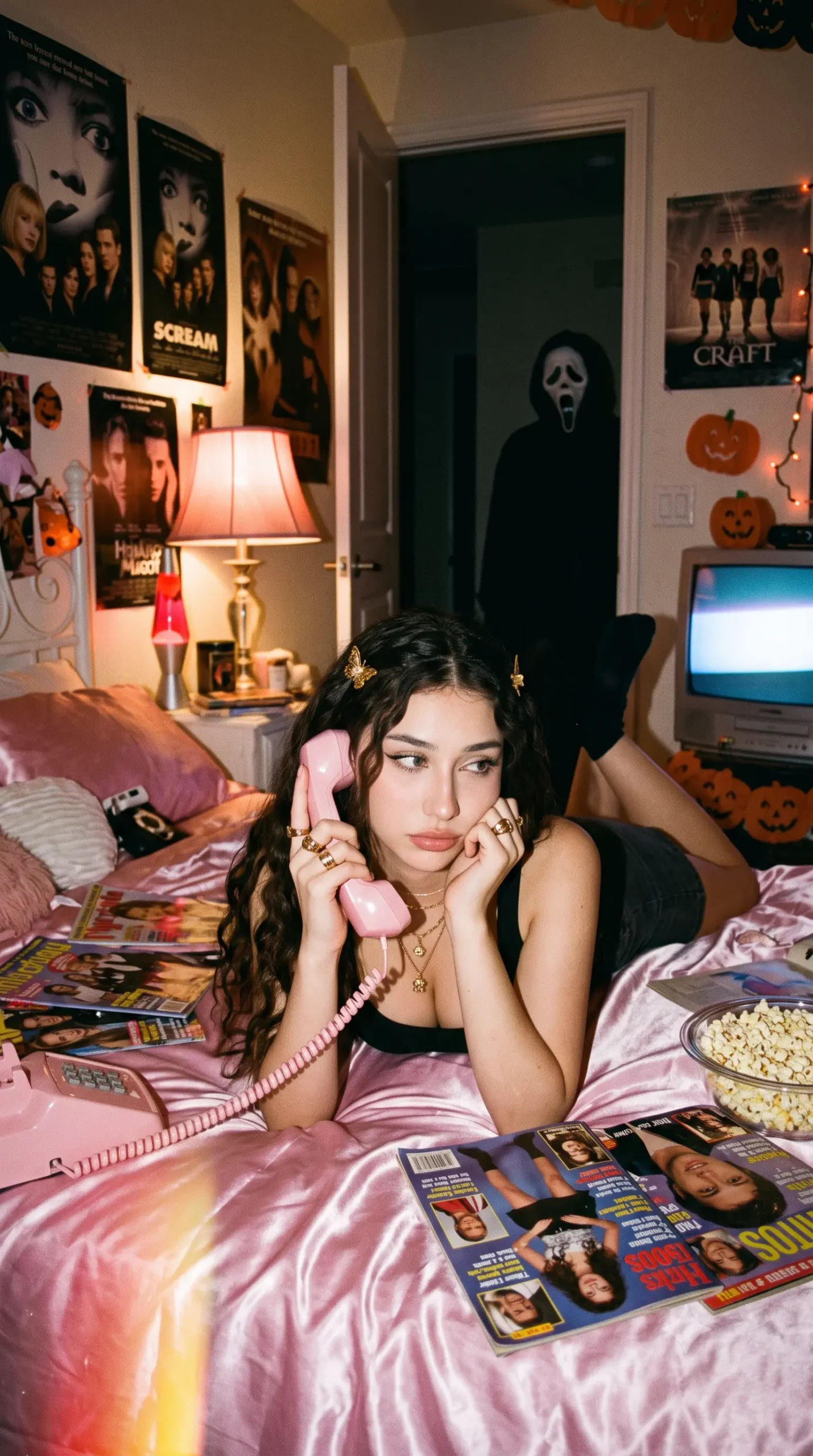
The Y2K horror look mixes early-2000s bedroom details with the atmosphere of a retro slasher movie. Think shiny satin bedding, a corded telephone, old posters, direct camera flash, and a masked figure in the background. The contrast between a playful bedroom and a suspenseful setting is what gives these portraits their distinctive look.
Dreamy Y2K Ghostface Bedroom
Create a photorealistic Y2K point-and-shoot photo of me lying on glossy pink satin bedding, holding a pastel corded landline phone. I wear delicate silver jewelry, chunky rings, and soft glam makeup. The bedroom has retro horror posters, butterfly clips, a lava lamp, and a bowl of popcorn. A black-robed figure wearing a long white mask stands quietly in the dim doorway behind me. Use direct flash, warm bedside lamp lighting, subtle film grain, natural hands, and a vertical composition. Preserve my exact facial identity.
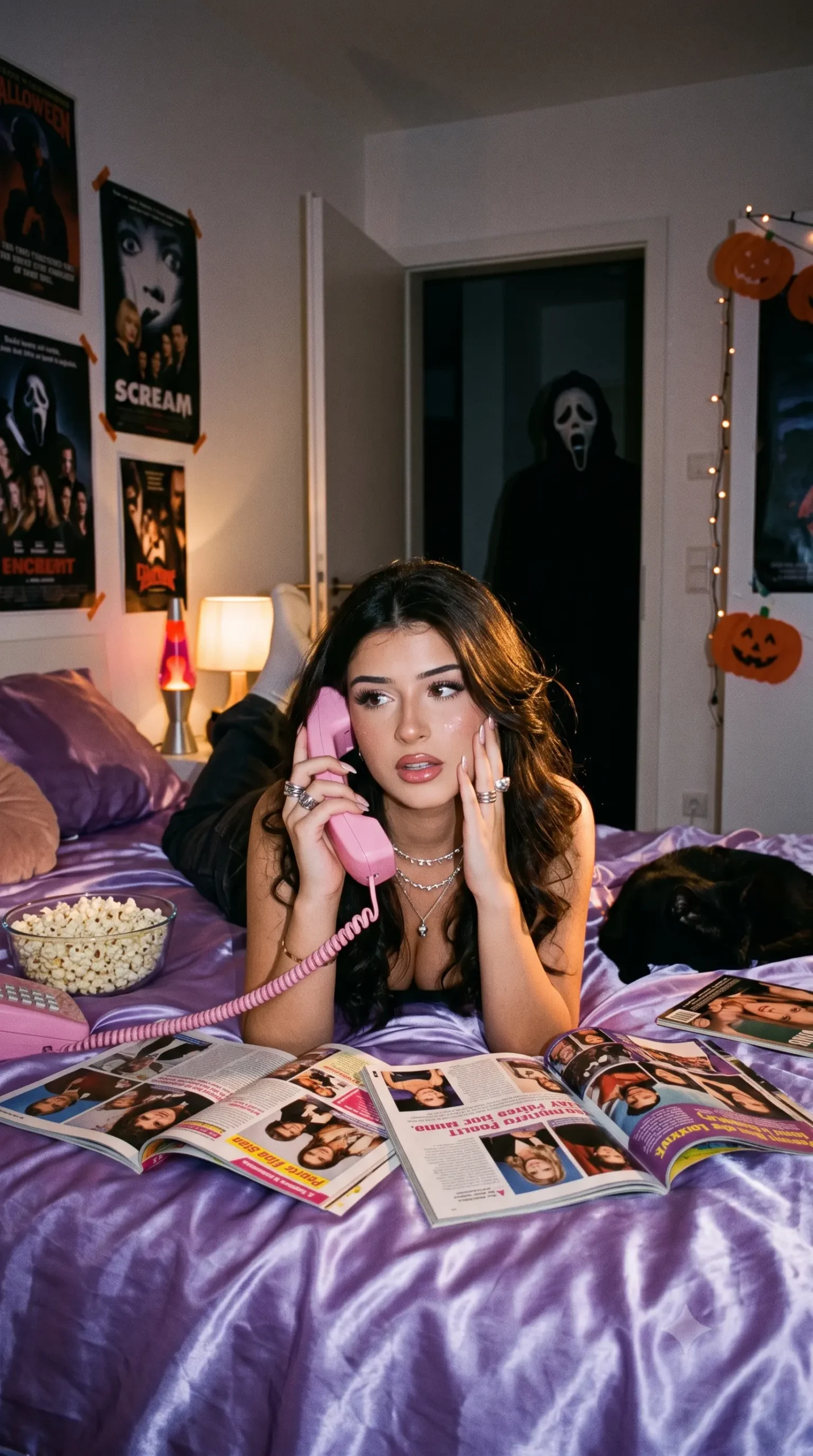
Purple Satin Ghostface Portrait
Transform my uploaded selfie into a dreamy Y2K Halloween portrait. I am lying on shiny purple satin bedding, holding a large 1990s-style pink corded phone in a thoughtful pose. Add dainty silver necklaces, silver chunky rings, and soft Y2K makeup. Behind me is a girly 90s bedroom with horror movie posters, a black cat, and popcorn. A dimly lit masked figure stands in the hallway doorway. Use cinematic lighting, grainy film texture, and preserve my face exactly.
1990s Horror Movie Still
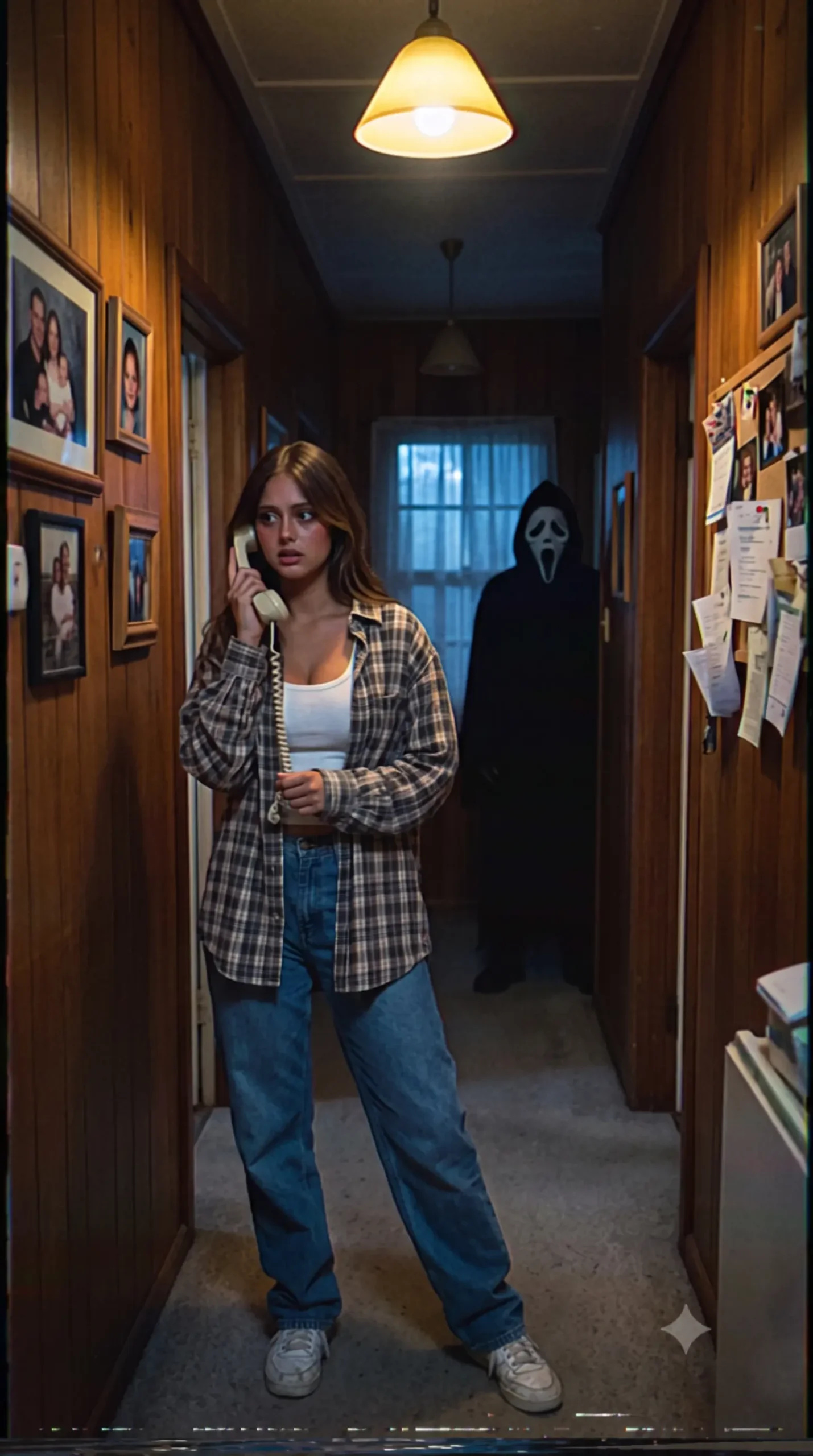
Create a suspenseful late-1990s horror film still using my uploaded photo. I am answering a cream-colored corded telephone beside an open kitchen door. A black-robed figure with a long white mask appears at the far end of a narrow hallway. Use muted colors, VHS-style grain, cold indoor lighting, dramatic shadows, and realistic film photography. Preserve my exact facial identity and make the image look like a real movie frame.
Y2K Mirror Selfie Horror
Turn my selfie into a Y2K Halloween mirror selfie. I stand in front of a vintage mirror wearing a baby tee, low-rise jeans, and glossy lip makeup. The room has pink lighting, posters, a CRT television, and scattered CDs. Behind me, a shadowy masked figure is faintly visible in the hallway. Use early-2000s digital camera flash, slight blur, and grainy texture while preserving my facial identity.
Ghostface Hallway Portrait
Create a cinematic Halloween portrait of me standing in a dim 1990s hallway, holding a corded phone to my ear. I wear a casual 90s outfit and look slightly toward the camera. At the end of the hallway, a black-robed white-masked figure stands in shadow. Use cold blue moonlight, warm lamp light, film grain, and a suspenseful atmosphere. Keep my face unchanged and realistic.
src attribute.Suggested filename: ghostface-y2k-halloween-ai-photo.webp
A Y2K-inspired bedroom portrait with satin bedding, retro details, and a masked figure in the background.
Vampire and Gothic Halloween AI Photo Prompts
For a more elegant Halloween portrait, try a Gothic or vampire-inspired look. Velvet, lace, antique jewelry, candlelight, and deep shadows create a dramatic image without needing a complicated scene. These ideas also work well for profile pictures when you want something dark and polished rather than frightening.
Gothic Vampire Queen
Transform my uploaded photo into a realistic Gothic vampire queen portrait. I wear an elegant black and burgundy Victorian gown with velvet, lace, a dramatic cape, ornate Gothic jewelry, and a jeweled crown. My makeup includes pale glowing skin, burgundy smoky eyes, black lipstick, and subtle fang details. I stand in a grand Halloween-decorated mansion with carved jack-o’-lanterns, black candles, cobwebs, and purple-orange lights. Use cinematic lighting and preserve my exact face.
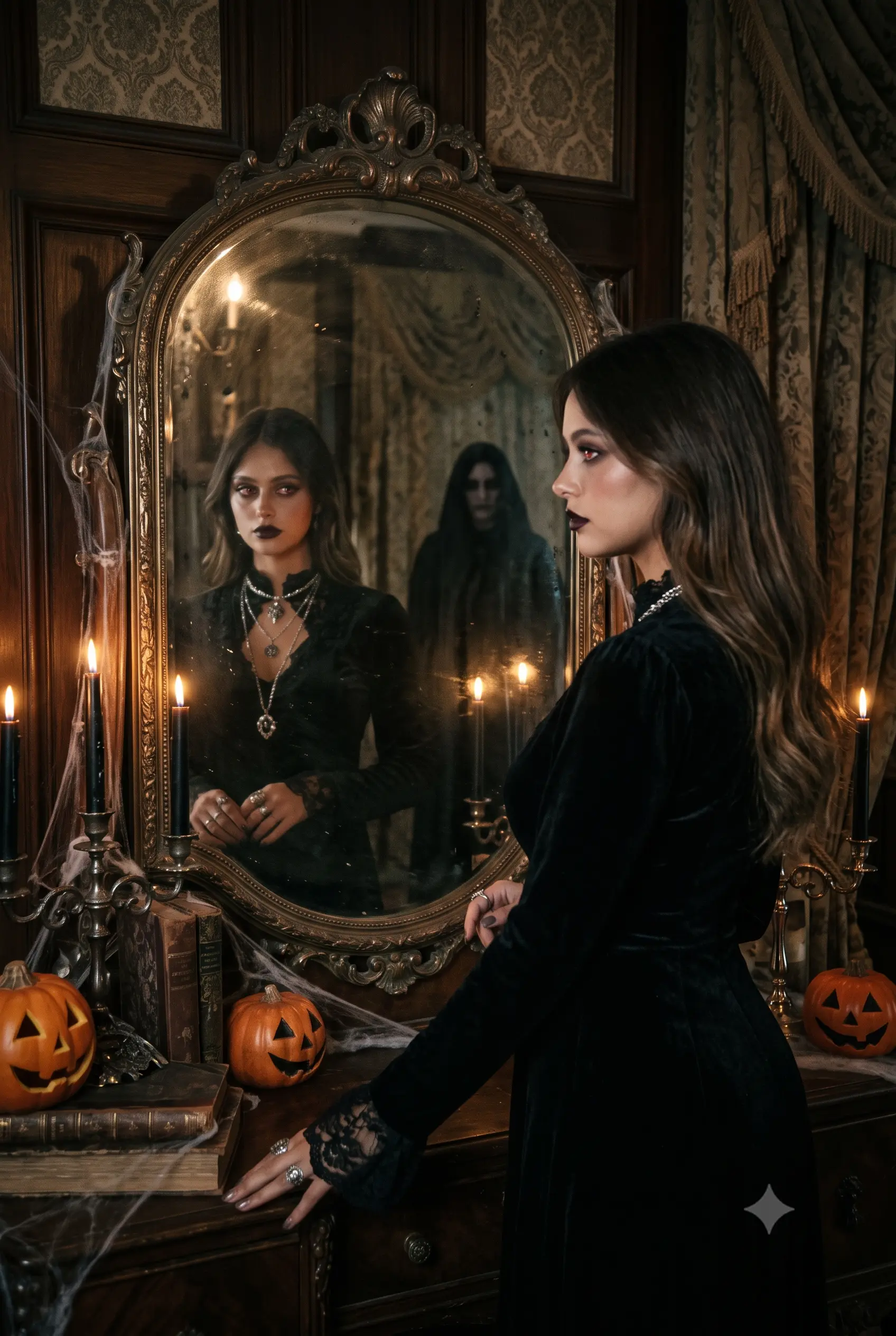
Vampire Mirror Portrait
Create a dark Gothic Halloween portrait of me standing in front of an antique mirror in a Victorian room. I wear a black velvet dress, silver jewelry, dark lipstick, and subtle vampire-inspired makeup. My reflection shows faint red eyes, while a shadowy figure stands behind me. Use candlelight, deep shadows, realistic skin texture, and a cinematic horror atmosphere. Preserve my facial identity.
Elegant Vampire at Midnight
Turn my photo into a realistic midnight vampire portrait. I wear a long black coat, dark red lipstick, and silver jewelry. I stand under a full moon beside an old iron gate, with fog rolling across the ground. Use cold blue moonlight, warm candlelight from a nearby lantern, and cinematic 35mm film grain. Keep my face exactly the same.
Gothic Library Vampire
Create a Gothic Halloween portrait of me in an old library filled with floating candles, ancient books, carved pumpkins, and moonlight through tall windows. I wear a dark velvet outfit with lace sleeves and layered silver jewelry. Use warm candlelight, deep shadows, and a cinematic fantasy atmosphere. Preserve my exact facial identity.
Dark Academia Vampire
Transform my selfie into a dark academia vampire portrait. I sit at an antique wooden desk in a candlelit library, wearing a black turtleneck, vintage blazer, and silver rings. Add old books, a goblet, dried roses, and moonlight through a window. Use muted colors, realistic film texture, and a mysterious Halloween mood. Keep my face unchanged.
src attribute.Suggested filename: gothic-vampire-halloween-ai-portrait.webp
A candlelit Gothic portrait using velvet, antique details, and cinematic shadows.
Witch and Magical Halloween AI Photo Prompts
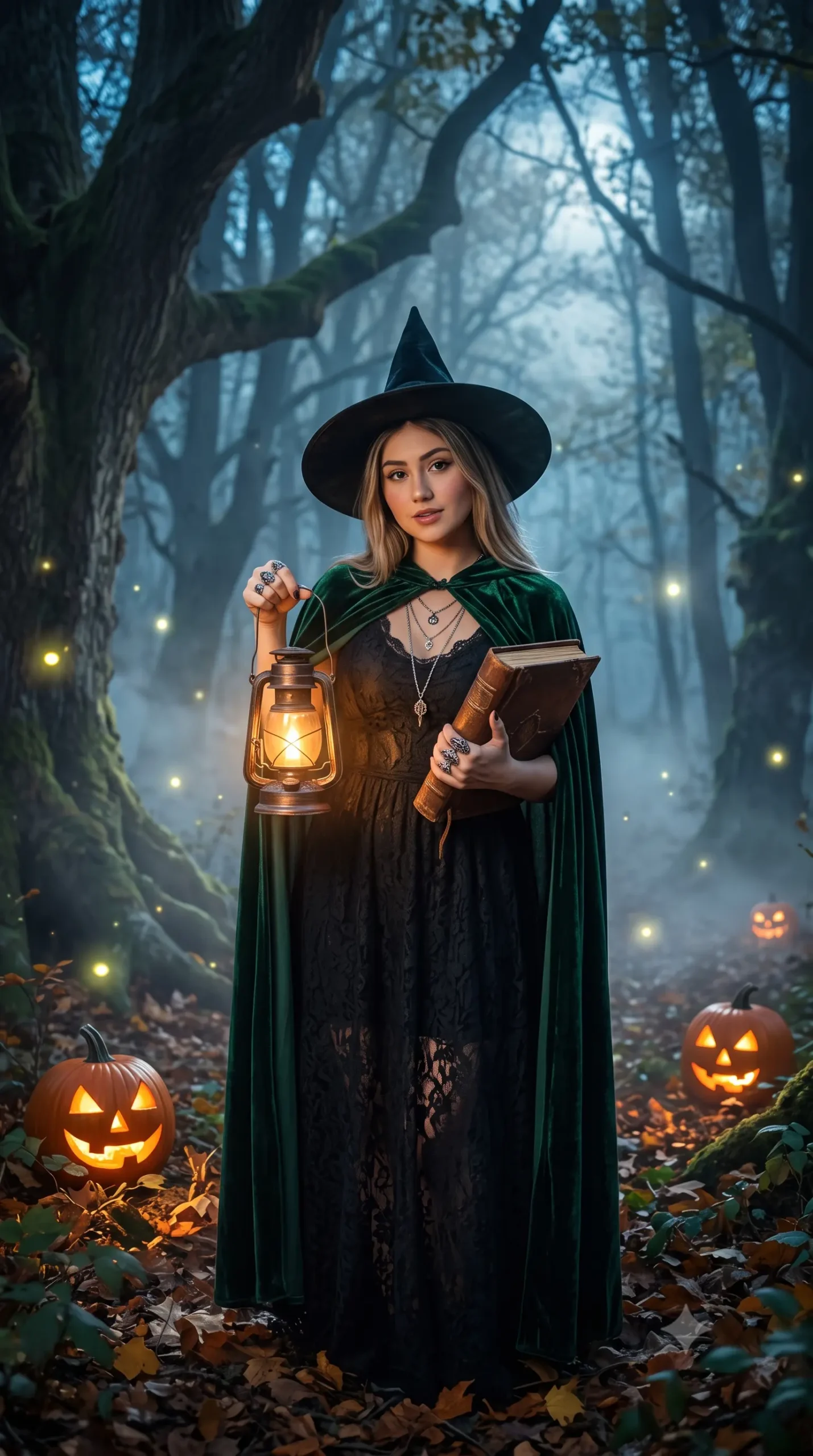
Not every Halloween image needs to look scary. Witch-inspired portraits can be cozy, dreamy, or magical, depending on the setting and lighting you choose. Forest mist, glowing candles, autumn leaves, and moonlight help create a fantasy atmosphere while keeping the portrait grounded in realistic photography.
Candlelit Witch Portrait
Transform my uploaded selfie into a realistic witch portrait. I wear a black velvet dress, layered silver jewelry, and a pointed witch hat. I hold a glowing candle in a dark forest with fog, autumn leaves, and fireflies around me. Use warm candlelight on my face, cool blue moonlight in the background, and subtle film grain. Preserve my exact facial identity.
Moonlight Witch in the Forest
Create a cinematic witch portrait of me standing in a moonlit forest. I wear a flowing dark green cloak, a silver crescent necklace, and natural makeup. Fireflies glow around me, and an old spellbook rests on a tree stump. Use soft moonlight, mist, and realistic 35mm film photography. Keep my face unchanged.
Cozy Kitchen Witch
Turn my photo into a cozy Halloween witch portrait in a rustic kitchen. I wear an oversized knit sweater and a small witch hat while stirring a glowing green potion in a black cauldron. Add pumpkins, dried herbs, candles, and warm lantern light. Use a warm autumn color palette, soft shadows, and realistic film grain. Preserve my facial identity.
Purple Sky Witch Portrait
Create a magical Halloween portrait of me in a misty pumpkin patch at dusk. I wear a stylish witch outfit with a black hat and layered jewelry. Glowing jack-o’-lanterns surround me while bats fly across a purple sky. Use warm orange rim light, cinematic shadows, and realistic photo texture. Keep my exact face.
Pumpkin Patch and Cozy Fall Prompts
If you prefer autumn colors to haunted-house shadows, these prompts are a good fit. Sweaters, pumpkin patches, warm porch lights, and fall markets make the pictures feel seasonal without making them too spooky. They’re useful for profile photos, family-friendly posts, or a relaxed Halloween look.
Pumpkin Patch at Golden Hour
Transform my uploaded selfie into a cozy Halloween portrait in a misty pumpkin patch at golden hour. I wear an oversized knit sweater, denim jacket, and small pumpkin earrings. Carved jack-o’-lanterns and orange string lights glow behind me. Use warm golden-hour light, soft fog, and subtle 35mm film grain. Preserve my exact facial identity.
Halloween Porch Portrait
Create a realistic Halloween-night photo of me sitting on the porch steps of a suburban house. I wear a casual autumn outfit and hold a bowl of candy. Carved pumpkins line the steps, orange lights glow through the windows, and dry leaves cover the ground. Use warm porch light, cool night shadows, and a candid film-camera look. Keep my face unchanged.
Autumn Market Portrait
Turn my selfie into a cozy autumn Halloween portrait at an outdoor fall market. I hold a warm drink and wear a plaid scarf, beige coat, and small pumpkin accessory. Add wooden stalls, string lights, pumpkins, and falling leaves. Use golden-hour lighting, soft bokeh, and realistic film texture. Preserve my facial identity.
Pumpkin Carving Night
Create a candid Halloween photo of me carving a pumpkin at a wooden table. I wear a cozy sweater and look down at the pumpkin with a small smile. Add tea lights, autumn leaves, scissors, and warm indoor lighting. Use realistic skin texture, soft shadows, and a 35mm film look. Keep my face exactly the same.
Haunted House and Graveyard Prompts
For a more cinematic horror look, build the scene around fog, old buildings, lanterns, moonlight, and long shadows. These details add suspense without relying on graphic effects. Keep the main subject clearly visible so the final image still works as a portrait.
Haunted House Doorway
Transform my uploaded selfie into a cinematic Halloween portrait. I stand in the doorway of an old wooden haunted house at night, holding a flickering candle lantern. A shadowy figure is barely visible in the hallway behind me. Use warm candlelight on my face, cold blue moonlight in the background, fog, and deep shadows. Preserve my exact facial identity.
Foggy Graveyard Lantern
Create a spooky Halloween portrait of me in a foggy cemetery at midnight. I wear a long black coat and hold an old brass lantern. Twisted trees, gravestones, bats, and a cloudy moon surround me. Use cold blue moonlight, long shadows, cinematic composition, and subtle film grain. Keep my face unchanged.
Victorian Ghost Portrait
Turn my photo into a semi-transparent Victorian ghost portrait. I wear vintage Victorian clothing and stand in an old hallway with moonlight coming through a window. Use a black-and-white wet-plate photography style with subtle stains, streaks, and grain. Preserve my facial identity while giving the image an antique supernatural look.
Abandoned Mansion Portrait
Create a realistic Halloween portrait of me standing in an abandoned mansion hallway. I wear a dark vintage outfit and hold a small oil lamp. Add peeling wallpaper, broken windows, floating dust, and moonlight. Use cinematic shadows, muted colors, and realistic film grain. Preserve my exact face.
Couple Halloween AI Photo Prompts
Couple portraits can feel romantic, playful, or like a still from an old horror movie. For the best result, upload a photo where both people’s faces are easy to see, and make it clear in the prompt that both identities should stay recognizable.
Halloween Couple Porch Portrait
Transform this photo of us into a cinematic Halloween couple portrait. We stand on a foggy porch at night in coordinated vintage Halloween outfits, holding carved pumpkins. Warm orange lights glow behind us while blue moonlight and mist fill the background. Use realistic 35mm film texture, dramatic shadows, and preserve both people’s exact facial identities.
Retro Couple Polaroid
Turn our uploaded photo into a candid 1990s couple Polaroid. We stand close together outside a retro diner at sunset, wearing baggy jeans, flannel shirts, and vintage sneakers. Add a white Polaroid border, harsh flash, faded warm colors, slight vignetting, and authentic film grain. Preserve both faces exactly.
1980s Prom Couple
Create a realistic 1980s prom-night portrait from our photo. Give us period-accurate formal outfits, voluminous hairstyles, and a decorated school gym background with balloons and disco lights. Use direct flash photography, saturated colors, soft focus, and authentic 1980s film grain. Preserve both people’s facial identities.
Y2K Couple Bedroom Photo
Transform our photo into a dreamy Y2K couple portrait in a 2000s bedroom. One person sits on a bed holding a corded phone, while the other stands beside a CRT television and lava lamp. Add retro posters, string lights, glossy accessories, and grainy early-digital-camera texture. Preserve both faces and make it look like a real nostalgic photo.
src attribute.Suggested filename: couple-halloween-ai-photo-prompt.webp
A couple’s Halloween portrait on a foggy porch with carved pumpkins and warm lights.
90s VHS Horror AI Photo Prompts
VHS-inspired pictures are meant to feel like frames recovered from an old home video or a forgotten horror tape. A timestamp, tracking lines, color bleed, low-resolution grain, and slightly awkward framing can sell the retro effect. Use these details with restraint so the subject remains recognizable.
VHS Halloween Home Video
Transform my uploaded selfie into a single paused frame from a 1990s VHS home video. I stand in a dim hallway facing the camera. Add a timestamp, VHS tracking distortion, chromatic color bleed, low-resolution grain, and flickering fluorescent light. Keep my face recognizable but make the overall image feel authentically analog.
90s Séance Portrait
Create a spooky 1990s-style black-and-white portrait of me kneeling in a dim bedroom, holding a candle and an old book. I wear layered necklaces, a messy updo, smoky eyes, and red lip gloss. Candles surround a mysterious vintage doll on the floor. Use moonlight through sheer curtains, grainy film texture, and a séance-like atmosphere. Preserve my facial identity.
Early-2000s Camcorder Horror
Turn my selfie into a paused frame from a cheap early-2000s camcorder video. I stand at the end of a dim hallway, facing the camera. Add a timestamp, VHS tracking distortion, chromatic blur, low-resolution grain, and flickering fluorescent light. The framing should feel accidental and slightly shaky, with a figure barely visible in the shadows.
Grainy 90s Slasher Portrait
Create a 1990s horror-movie still from my uploaded photo. I stand in a foggy graveyard at midnight wearing a vintage sweatshirt, red shorts, and striped socks. A masked figure is partially visible behind a gravestone. Use cold moonlight, heavy fog, muted colors, VHS grain, and cinematic dread. Preserve my exact facial identity.
Best Prompt Formula for Halloween AI Photos
Want to make a prompt that feels more personal? Use this simple structure and replace the bracketed details with your own idea. It helps you cover the main ingredients without making the prompt unnecessarily complicated.
Transform my uploaded photo into a realistic [Halloween style] portrait. I am wearing [outfit or costume]. The background is [location]. Use [lighting], [camera style], and [mood]. Preserve my facial identity, facial structure, skin tone, and hairstyle as closely as possible. Make it look like a real photograph with natural skin texture and subtle film grain.
Example prompt
Transform my uploaded photo into a realistic Halloween portrait. I am wearing a black velvet witch dress and silver jewelry. The background is a foggy pumpkin patch at dusk. Use warm candlelight, cinematic shadows, and 35mm film grain. Preserve my facial identity, facial structure, skin tone, and hairstyle as closely as possible. Make it look like a real photograph with natural skin texture.
As a general rule, describe the subject, what they’re doing, where the scene takes place, how it’s framed, and the visual style you want. Those details give the image tool clearer direction than simply asking for a “cool Halloween photo.” If you’re exploring other photo styles too, take a look at our musician image prompts and photo-editing ideas for more examples you can adapt.
Tips for Realistic Halloween AI Photos
A prompt can be detailed and still produce an image that looks artificial. Small, practical instructions often make a bigger difference than adding lots of dramatic adjectives. Before generating another version, check these basics:
- Start with a clear selfie. Use a front-facing photo with good lighting and no heavy filter.
- Protect your identity. Include an instruction to preserve your facial features, skin tone, and hairstyle.
- Be specific about lighting. Name the light source—such as candlelight, moonlight, neon, camera flash, or golden hour.
- Choose a camera style. Try 35mm film grain, direct flash, a Polaroid look, or VHS distortion instead of piling on several styles at once.
- Keep the setting focused. A few clear background details usually work better than a long list of unrelated objects.
- Check hands and small details. If fingers, jewelry, or clothing look strange, ask for that specific area to be corrected.
- Try a few versions. Compare two or three results and choose the one that looks most natural and keeps your face recognizable.
- Keep it shareable. If you want a clean social-media portrait, ask for suspense and atmosphere rather than extreme gore.
The most convincing results usually come from a clear reference photo, consistent identity instructions, controlled lighting, and a scene that makes sense. If the first version misses the mark, refine one detail at a time.
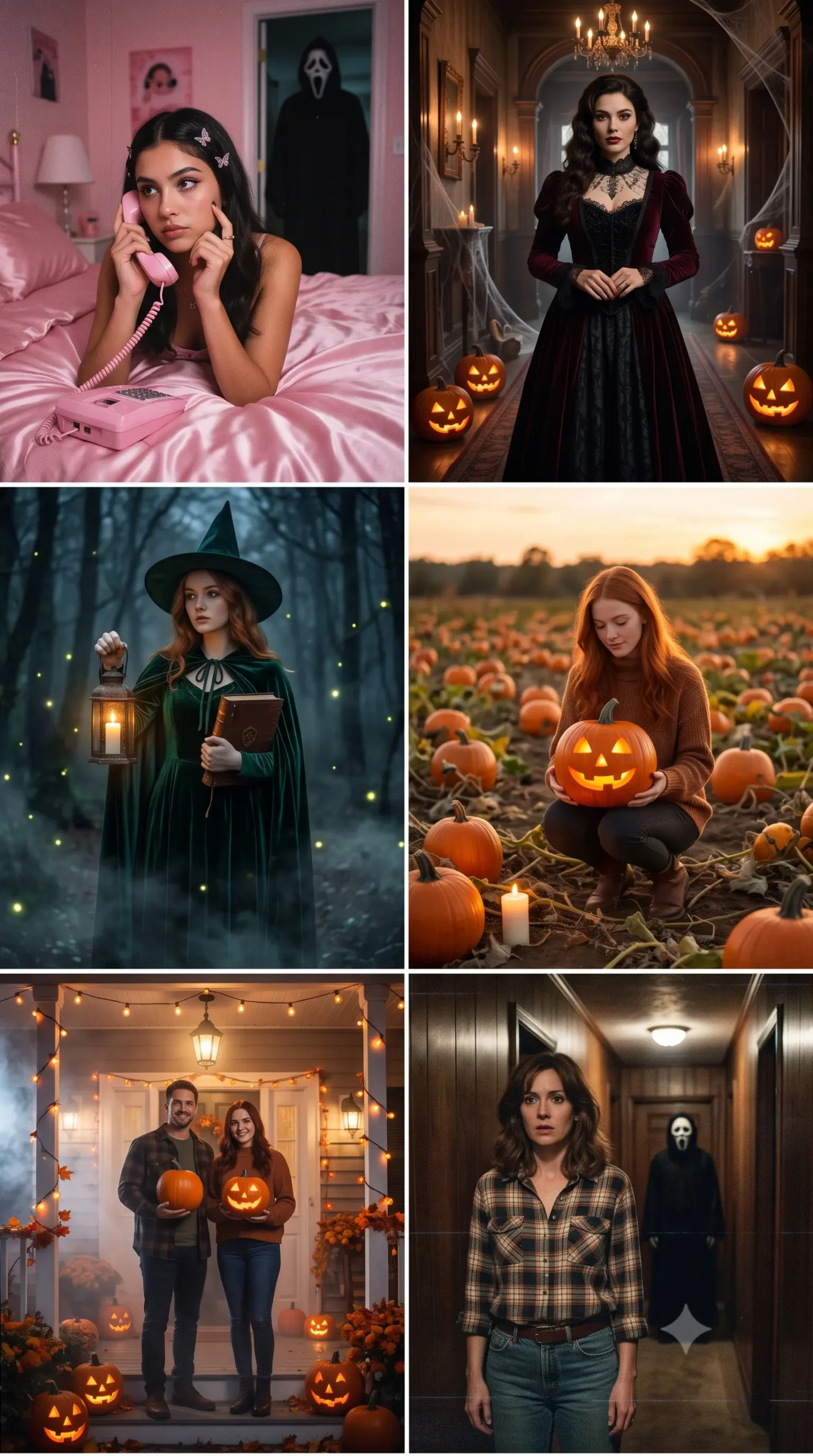
src attribute.Suggested filename: halloween-ai-photo-prompts-examples.webp
A collection of Halloween looks, from witch and pumpkin-patch portraits to graveyard and VHS-inspired horror scenes.
Final Thoughts
The best Halloween AI photo prompt is one that gives the tool a clear scene while still letting your own photo remain the focus. You might prefer the dreamy Y2K bedroom look, a Gothic vampire portrait, a cozy pumpkin-patch picture, or the grainy atmosphere of a 1990s horror movie.
Start with one of these 30 copy-and-paste prompts, add your selfie, and adjust the lighting or background if the first result isn’t quite right. Keep the instructions about your face, outfit, and setting clear, and you’ll have a much better starting point for a Halloween image that feels personal rather than generic.