7 Best AI Tools for Facebook Instagram Ad Creatives Ecommerce in 2026
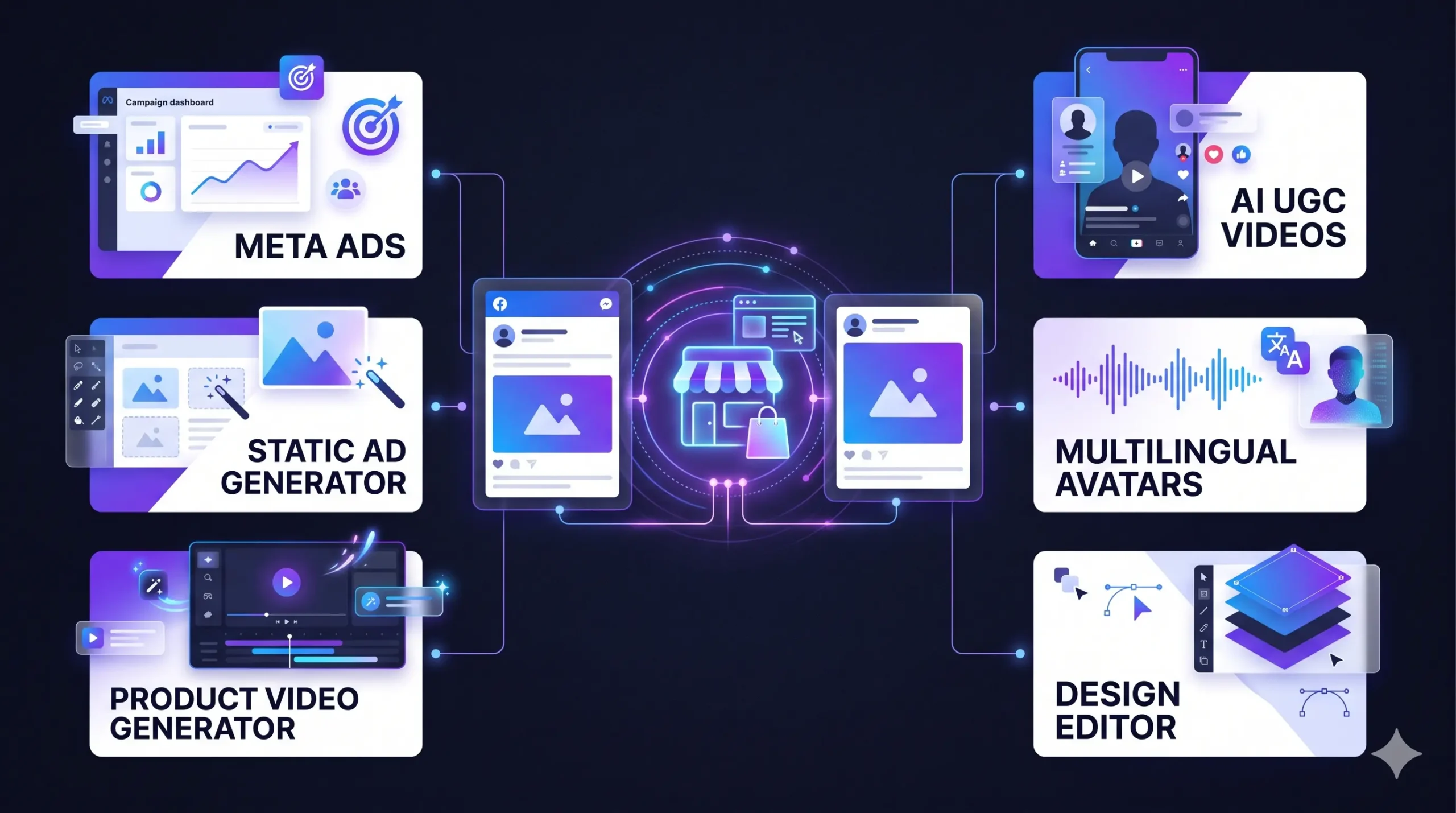
The 7 best AI tools for Facebook Instagram ad creatives ecommerce brands rely on help teams make more ad variations, test different hooks, and launch campaigns without a new photoshoot for every idea.
Ecommerce Ad Creative Guide · 2026After checking current plans and free tiers in October 2026, our short list is simple. Start with Meta Advantage+ Creative because it is free, use AdCreative.ai for static ads, Creatify for product videos, and Arcads or MakeUGC for presenter-style UGC ads.
This guide compares the 7 best AI tools for Facebook Instagram ad creatives ecommerce sellers can test. Each one covers features, best and worst use cases, pros and cons, and whether it is really free.
Why Ecommerce Brands Use AI Ad Creative Tools
A product often needs several ads before you learn what works. Making each by hand is slow, which is why the best AI tools for Facebook Instagram ad creatives ecommerce teams choose focus on speed. They can help teams:
- Draft static ads, headlines, and visual concepts from one brief.
- Turn product images or pages into short video concepts.
- Test hooks, scripts, and presenter styles before a bigger production.
- Resize assets for Feed, Stories, and Reels.
When comparing the best AI tools for Facebook Instagram ad creatives ecommerce brands can use, treat them as assistants rather than guarantees. Keep your offer, landing page, and tracking central to every campaign.
Best AI Tools for Facebook Instagram Ad Creatives Ecommerce at a Glance
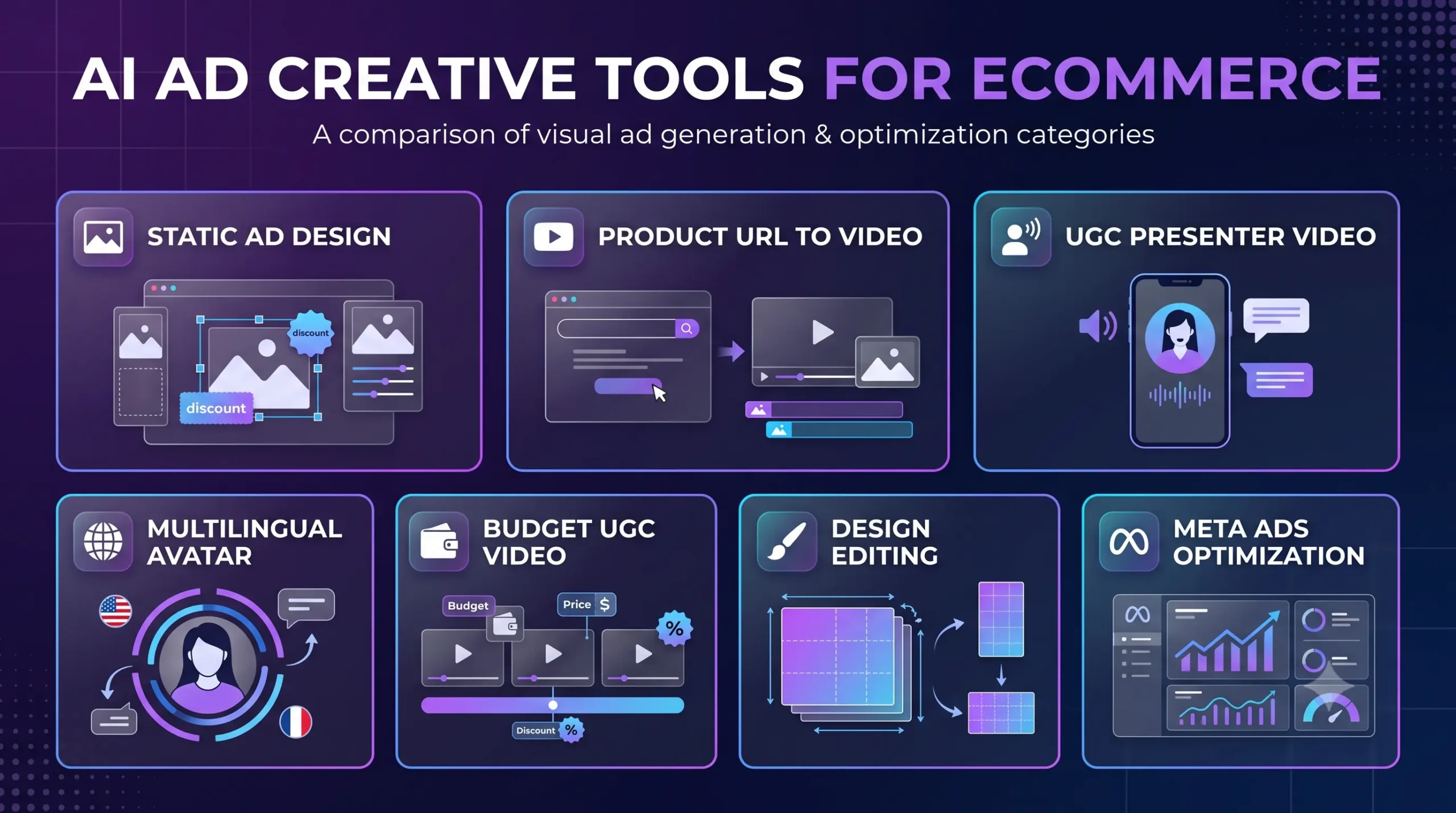
| Tool | Best for | Free option | Main trade-off |
|---|---|---|---|
| AdCreative.ai | Static ads and copy | 7-day trial, card needed | Pay per download; billing complaints |
| Creatify | Product-link video ads | Free plan, watermarked | Confusing credits |
| Arcads | UGC-style script tests | No free plan; short trial reported | Costs add up |
| HeyGen | Multilingual avatar videos | Free plan, watermarked | Not built for ecommerce ads |
| MakeUGC | Budget AI UGC | $1 trial reported | Raw clips, expiring credits |
| Canva | Editing and resizing | Free forever, limited AI | No ad scoring |
| Meta Advantage+ Creative | Free tests inside Meta | Free with ad spend | Less control |
1. AdCreative.ai: Best for Static Facebook and Instagram Ads
Best for: stores that need many static ads, banners, and copy variations quickly.
AdCreative.ai belongs on this shortlist of the best AI tools for Facebook Instagram ad creatives ecommerce teams can evaluate for static campaigns. It builds ad images, headlines, and descriptions from your brand assets and scores each design.
Key features
- Static ad and banner generation in common Facebook and Instagram sizes
- AI-written headlines and descriptions
- Creative scoring that estimates which design may perform better (an estimate, not a promise)
- Brand kit and competitor insights
- Video options exist, but reviewers say realistic UGC video sits on very expensive plans
Which ads it suits (and which it does not)
Better for catalog-style feed ads, sale banners, carousels, and retargeting graphics. Not great for authentic-looking UGC testimonials or lifestyle shots that need real product photography.
Honest pros and cons
- Pro: Fast batches of on-brand static concepts
- Pro: Scoring helps shortlist designs before you spend
- Con: A credit is used when you download a design, so costs rise quickly
- Con: Output can look templated, and many reviewers report trial auto-charges and slow refunds
Is it free?
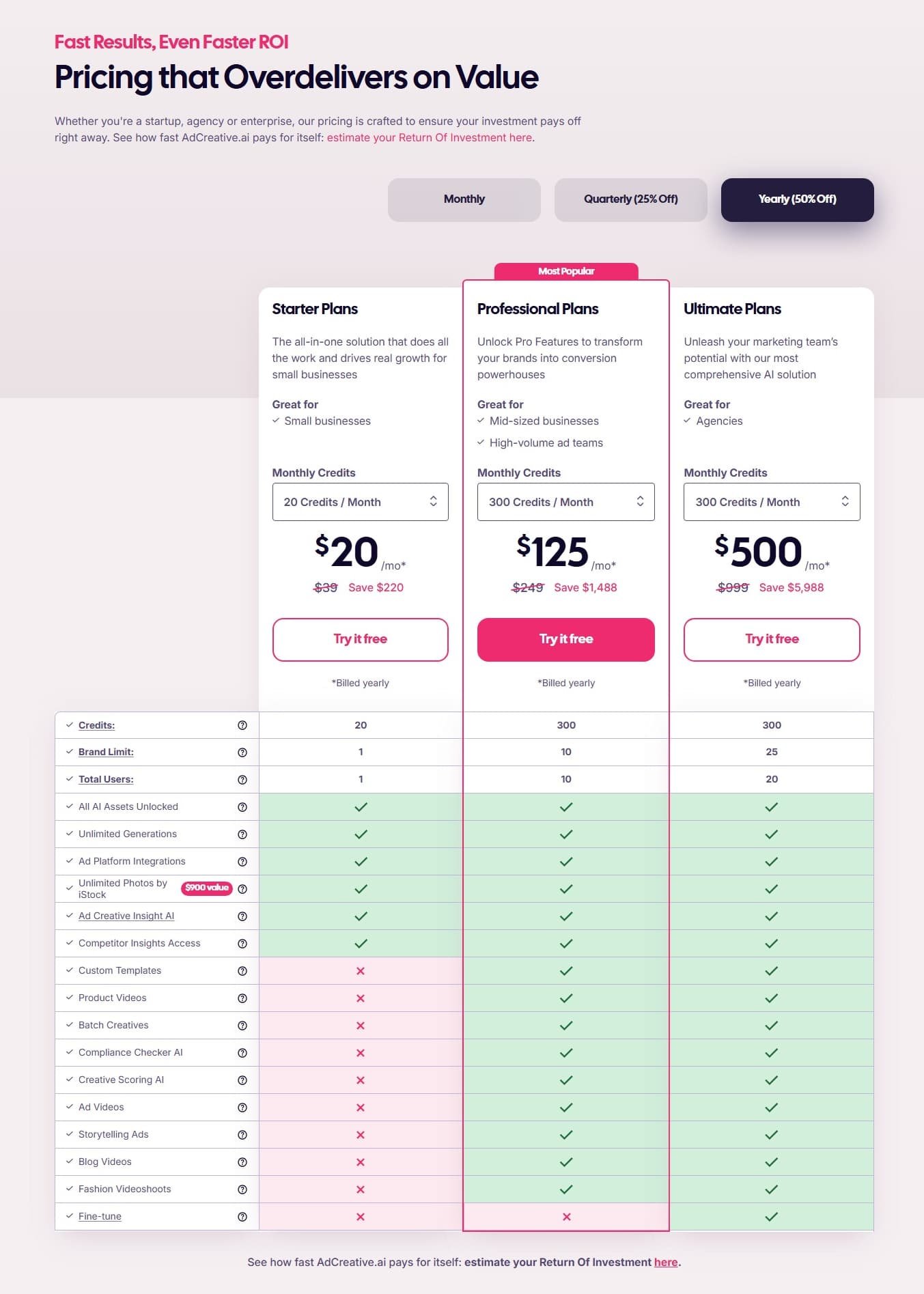
No permanent free plan. You get a 7-day trial with 10 credits, and a card is required. Paid plans start around $39 a month (cheaper billed yearly), and the Professional plan is about $249 a month. Cancel before day seven if you are only testing.
Perfect for: small stores that need many static ads fast and will watch the trial date. Not for: anyone who wants a risk-free free tier or mostly video ads.
2. Creatify: Best for Product URL to Video Ads
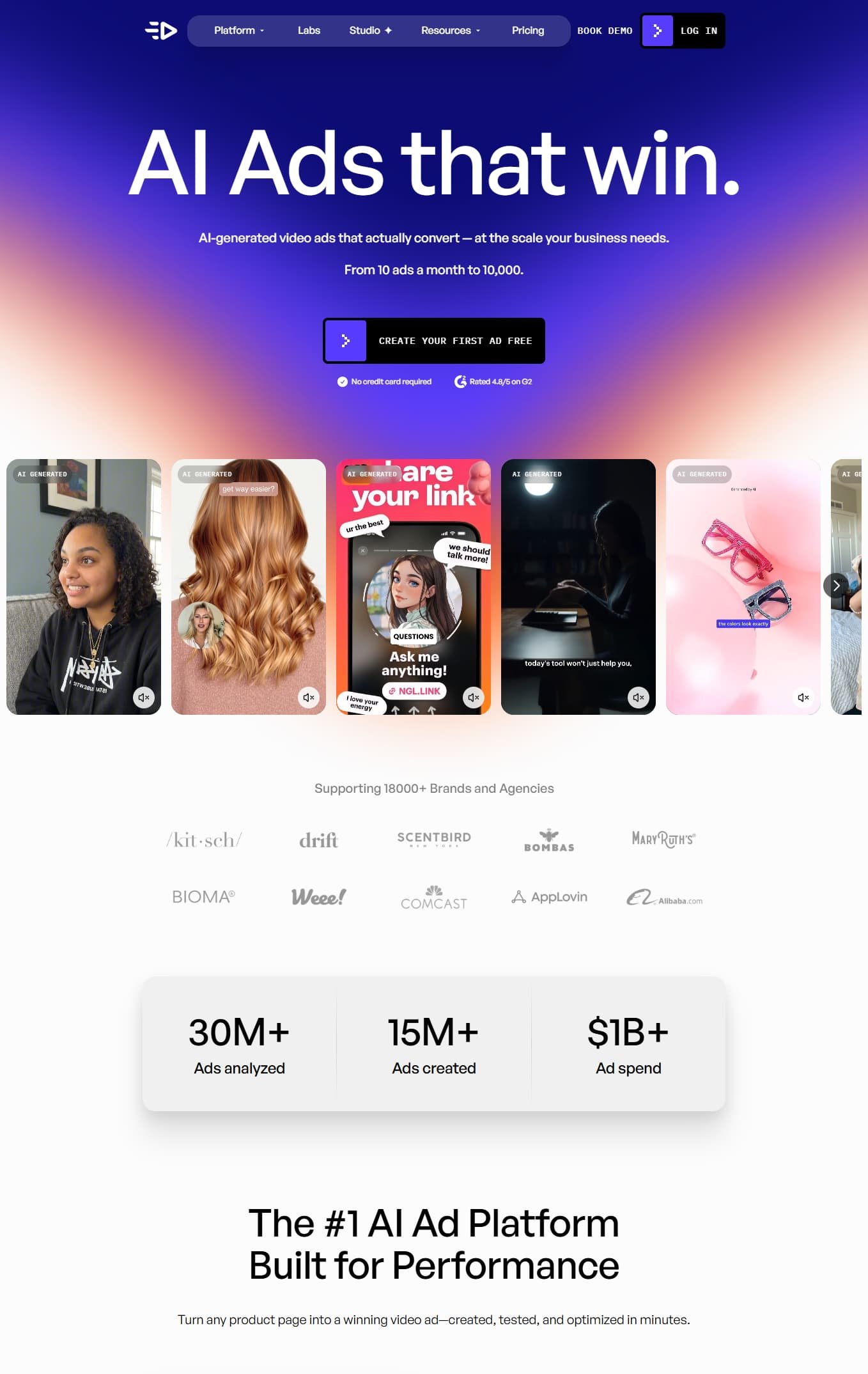
Best for: Shopify and ecommerce stores that want video ad drafts from a product link.
Creatify turns a product URL into a video ad draft with a script, AI actor, and voiceover. Its separate Product Video tool was retired from the dashboard in May 2026, but URL-to-video is still its main workflow.
Key features
- Product URL to video, plus image ads
- 300+ AI actors, voiceovers, and dozens of languages
- Batch variations to test several hooks
- Custom avatars and more credits only on the Pro plan
Which ads it suits (and which it does not)
Better for Reels and Stories product demos, quick hook tests, and Shopify catalogs. Not great for premium brand films or detailed scene-by-scene editing.
Honest pros and cons
- Pro: Very fast first draft from one product page
- Pro: A real free plan for testing
- Con: Credits are confusing: about 5 credits per 15 seconds, and revisions cost extra
- Con: URL extraction can miss details or invent claims, so check every line
Is it free?
Yes, partly. The free plan gives 10 credits every month, about two video ads or 20 image ads, but exports carry a watermark. Starter costs $39 a month for 100 credits and removes the watermark. Pro costs $99 a month for 300 credits.
Perfect for: sellers who publish video ads every week. Not for: anyone who needs clean, watermark-free output without paying.
3. Arcads: Best for UGC-Style Presenter Ad Testing
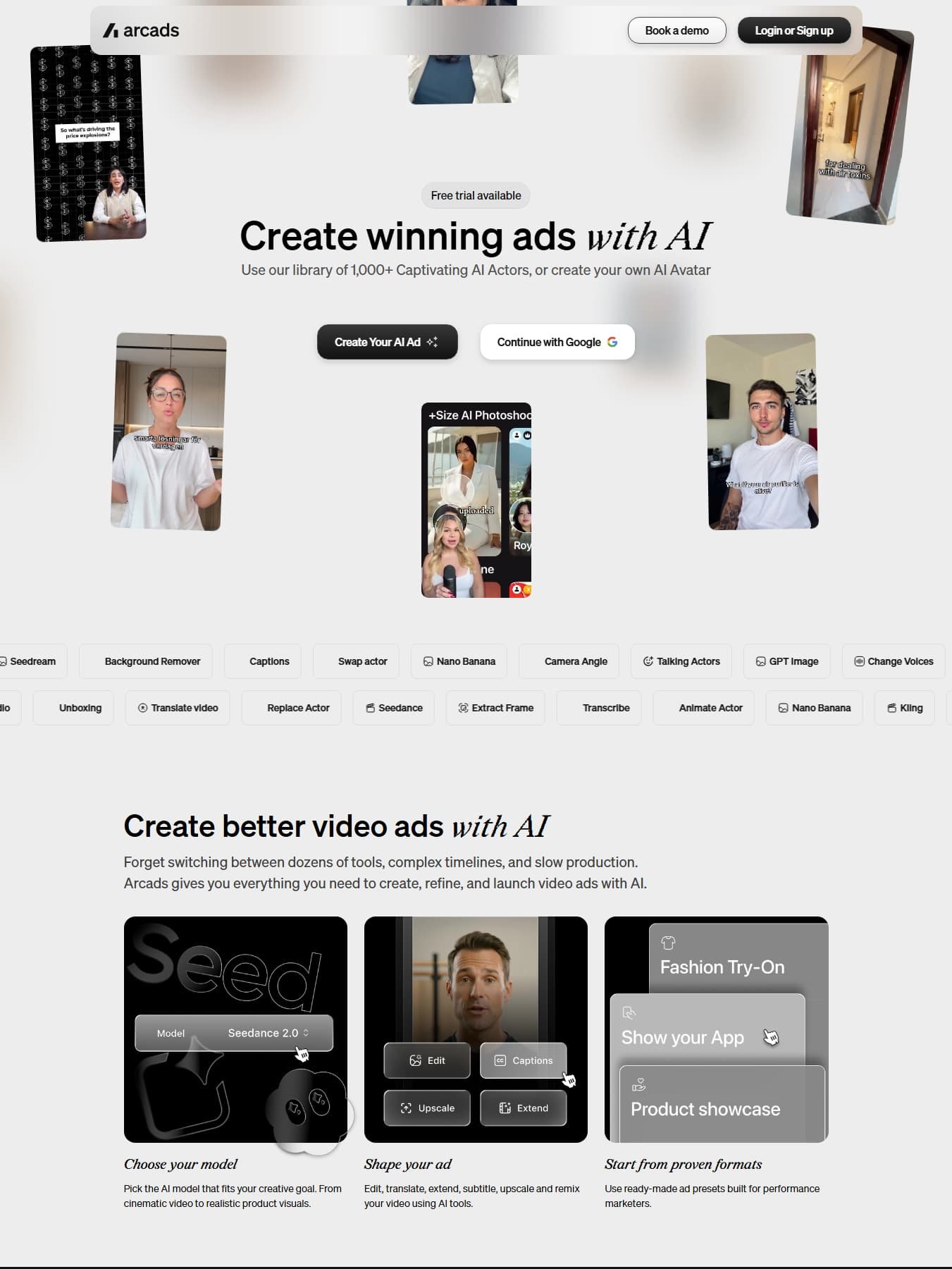
Best for: performance marketers who test many scripts and hooks.
Arcads is one of the most-used AI ad creative tools for talking-actor videos. It is built for fast hook testing, not finished brand films.
Key features
- AI actors (300+ on Starter, more on Creator)
- Script-to-video with several talking-actor models
- Captions, translation, and product scenes on higher plans
- Credits: about 800 per minute of talking-actor video
Which ads it suits (and which it does not)
Better for problem-solution scripts and hook tests on Reels, Stories, and Feed. Not great for static ads, catalog ads, or tiny budgets.
Honest pros and cons
- Pro: Realistic actors and quick script variations
- Con: No public pricing page, and reviewers put the real cost above $11 per video
- Con: Entry plans reportedly lack some captions and editing tools
Is it free?
No permanent free plan. A 3-day trial has been reported, and it charges the Starter plan if you do not cancel. Starter is reported at around $110 a month, so check the in-app price first. Never present a generated actor as a real customer.
Perfect for: media buyers testing ten or more scripts. Not for: beginners with a small budget.
4. HeyGen: Best for Multilingual Avatar Videos
Best for: brands that need the same ad in several languages, such as Hindi and English.
HeyGen serves a different need from the other options in this guide to the best AI tools for Facebook Instagram ad creatives ecommerce brands can compare. It is a general AI video platform rather than an ecommerce-first tool, making it more relevant when you already have an approved script.
Key features
- Realistic avatars, including a custom avatar of yourself on paid plans
- Voice cloning and video translation with lip-sync
- Brand kit, 1080p export, and watermark removal on paid plans
Which ads it suits (and which it does not)
Better for founder-style explainers, product introductions, and localized ads for India and the US. Not great for product-in-hand ecommerce scenes or static ads.
Honest pros and cons
- Pro: Strong translation and dubbing
- Pro: A permanent free plan with no card
- Con: Realistic avatars burn credits quickly, so Creator covers fewer minutes than it sounds
- Con: No ecommerce URL-to-ad workflow, so you supply the script and visuals
Is it free?
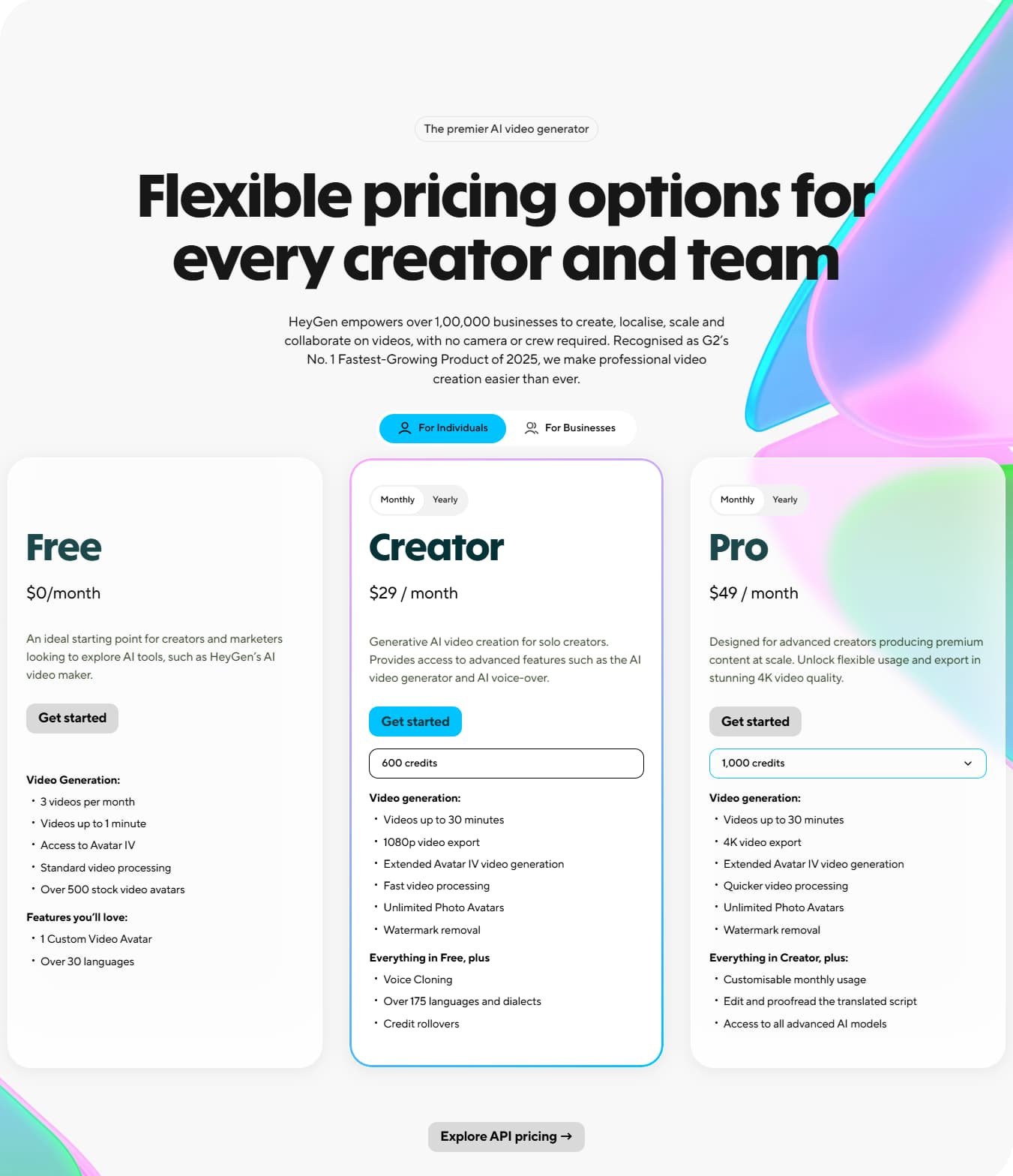
Yes. The free plan is permanent: about three short videos a month at 720p with a watermark. Creator costs $29 a month ($24 billed yearly), Pro starts around $49, and Business is $149 plus seats.
Perfect for: brands localizing approved ads. Not for: stores wanting catalog-to-ad automation.
5. MakeUGC: Best Budget Option for AI UGC Videos
Best for: small brands testing UGC-style product videos on a modest ad budget.
MakeUGC turns a script into a talking creator video, which makes it a budget pick among AI ad creative tools. Be careful with the name: the MakeUGC.in site describes a creator marketplace, which is a different service.
Key features
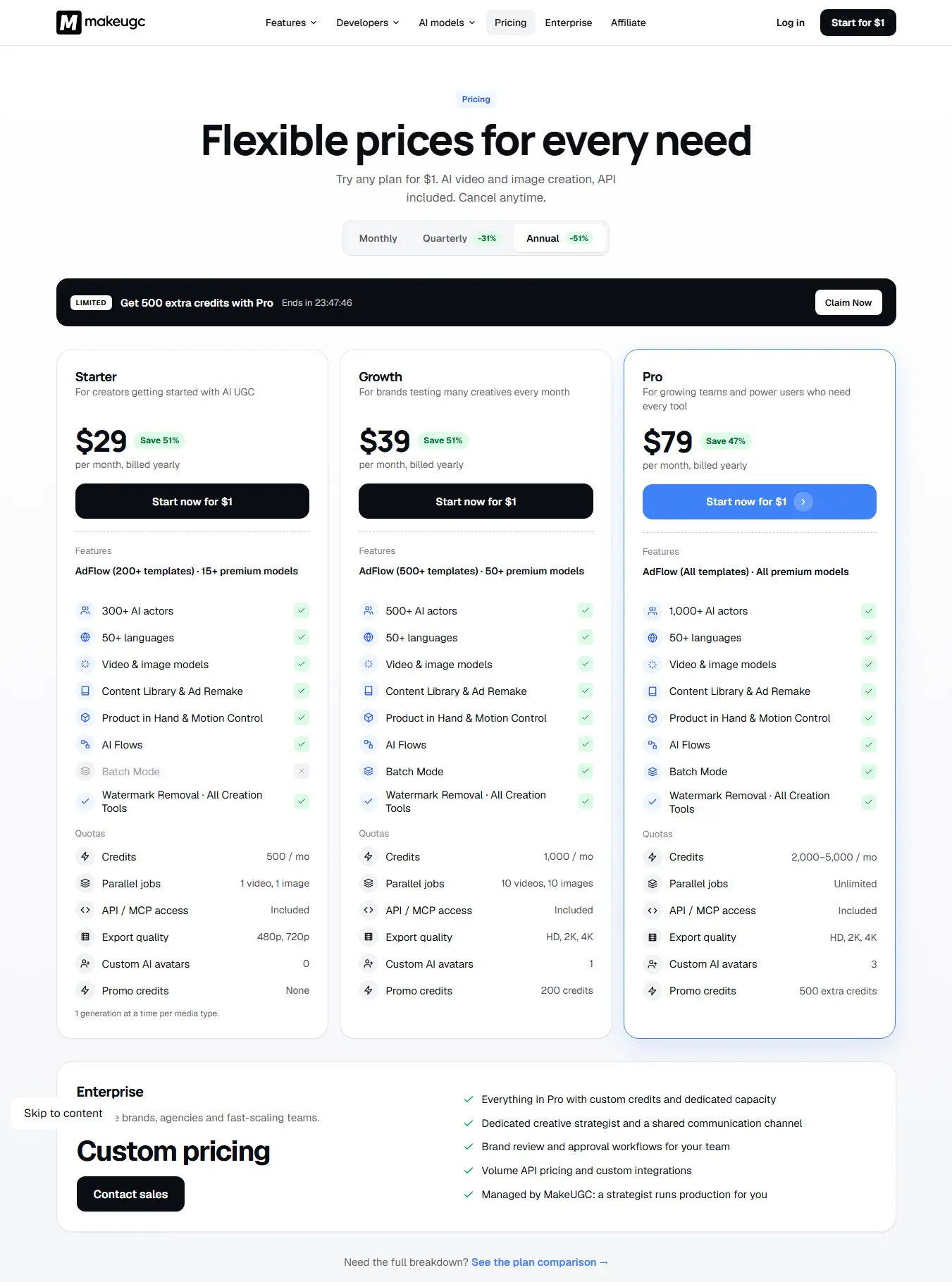
- 300+ AI creators and 35+ languages
- Script-to-video, B-roll, and an image generator
- Batch mode, plus Product in Hand and custom avatars on the Pro plan
Which ads it suits (and which it does not)
Better for simple product demos and Reels-style UGC ads. Not great for finished ads, because you get raw clips that need editing and music.
Honest pros and cons
- Pro: Lower entry price and transparent plans
- Pro: Fast output from a script
- Con: Unused video credits expire each month
- Con: Raw clips need a separate editor
Is it free?
No free plan. Reviewers mention a $1 three-day trial. Paid plans are $49 (5 videos), $69 (10 videos), and $119 (20 videos) a month.
Perfect for: low-budget AI UGC tests. Not for: teams that want a complete editor.
6. Canva Magic Studio: Best for Editing and Resizing
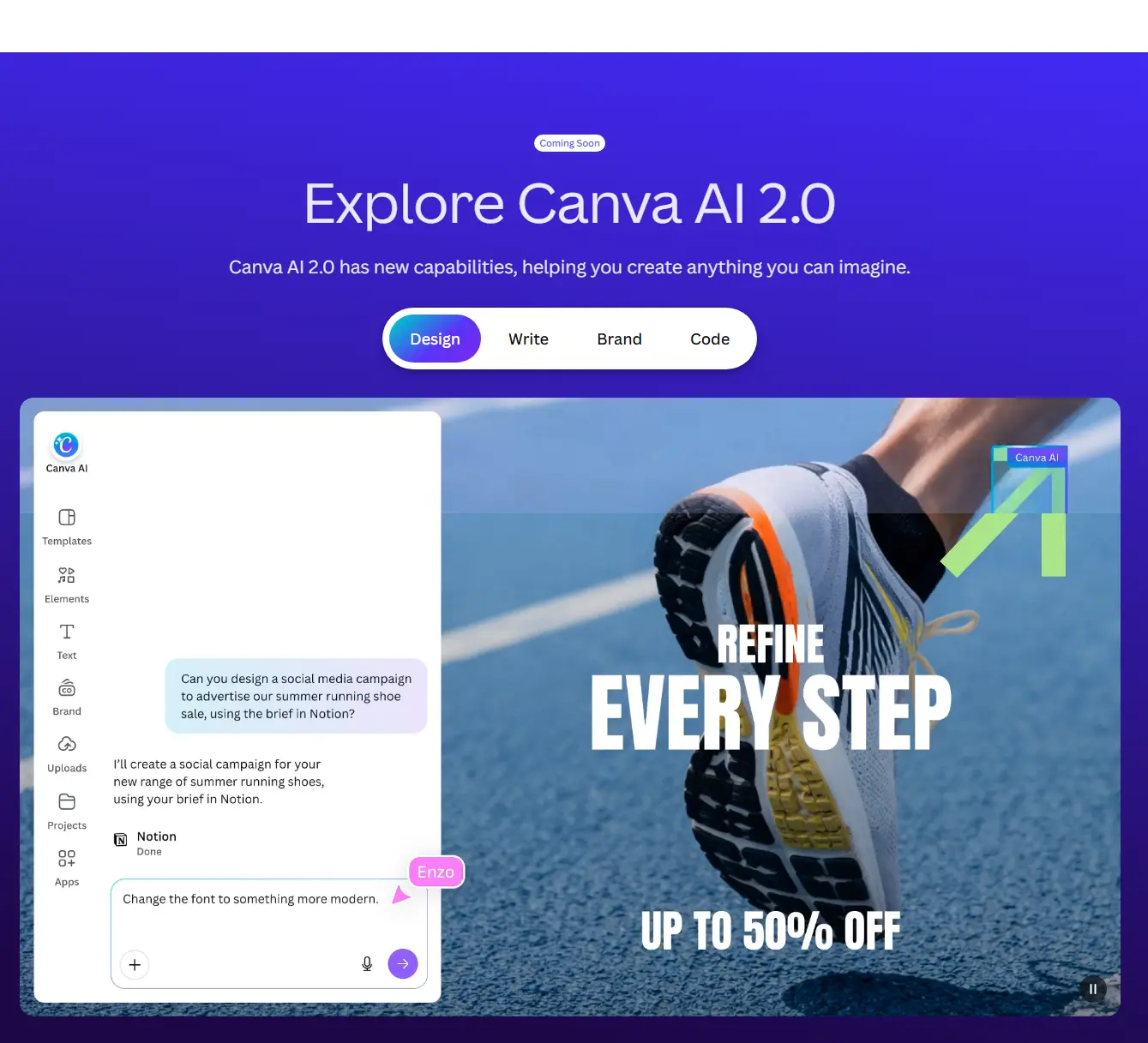
Best for: small teams that need clean designs and consistent branding.
Canva is a design platform with AI layered on top. When building a shortlist of the best AI tools for Facebook Instagram ad creatives ecommerce teams can use, consider it for editing, resizing, and keeping assets visually consistent.
Key features
- Magic Design, Magic Media (images and short video), Magic Edit, and Magic Write
- Brand Kit, templates, and one-click resizing
- Reported April 2026 update: Magic Layers splits AI posters into editable layers
Which ads it suits (and which it does not)
Better for carousels, sale banners, and polishing output from other tools. Not great for UGC presenter videos or performance scoring.
Honest pros and cons
- Pro: Easy for non-designers
- Pro: A free plan that never expires
- Con: Free AI credits are limited, and AI video clips are short
- Con: Using a Pro asset can force an upgrade at export
Is it free?
Yes. The free plan has no end date, but AI credits are limited. Pro costs about $15 a month or $120 a year, and regional prices differ.
Perfect for: solo founders who want one design tool. Not for: teams producing hundreds of variations.
7. Meta Advantage+ Creative: Best Free Option for Meta Ads
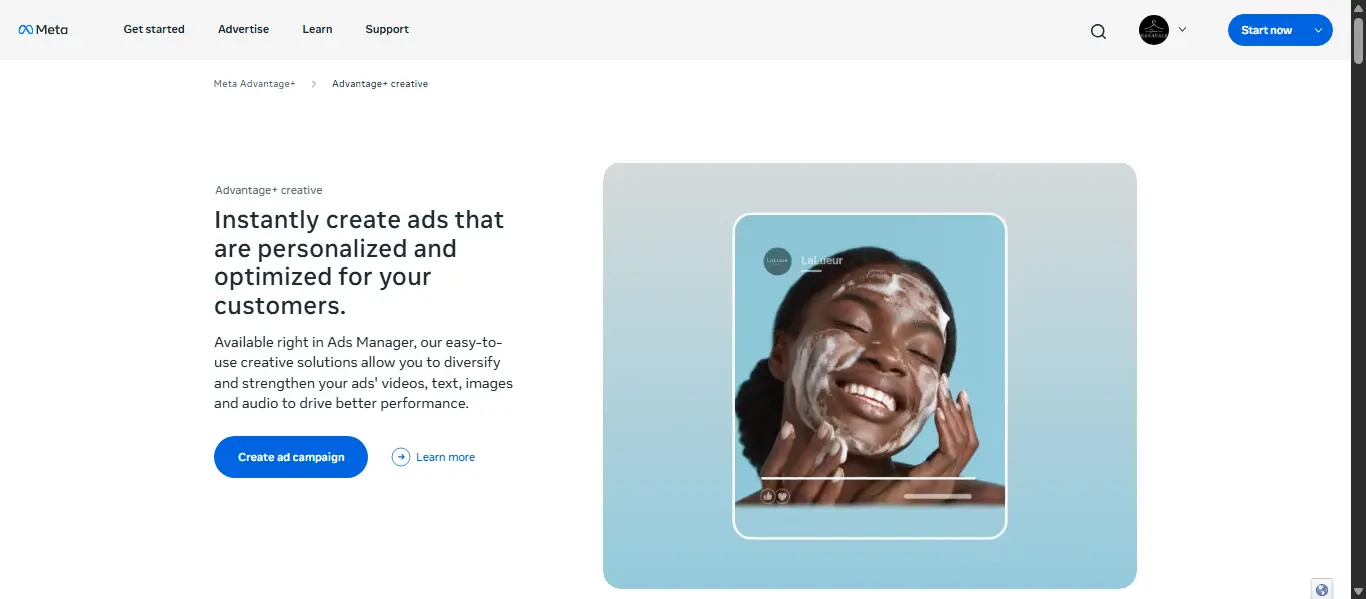
Best for: anyone who wants to test AI ad creative tools without paying extra.
Meta Advantage+ Creative lives inside Ads Manager. On October 6, 2026, Meta said its image-to-video generation is generally available and that Ads Creative Studio is opening to more advertisers.
Key features
- Background generation, image expansion, and image and text variations
- Image-to-video with text overlays and AI music
- AI dubbing for other languages
- Logo, color, and font controls
- Ads Creative Studio: hooks, captions, length, and video from catalog listings
Which ads it suits (and which it does not)
Better for catalog ads, quick variations of existing winners, and multiple placements. Not great for other platforms or a tightly controlled brand look.
Honest pros and cons
- Pro: No extra fee and no exporting between tools
- Con: Less creative control than dedicated tools
- Con: AI-looking visuals can feel off to shoppers, so test them against real photos
Is it free?
Yes. There is no separate charge, and you pay only for ad spend. Features can vary by account and country.
Perfect for: beginners and anyone testing on a tight budget. Not for: brands that need UGC actors or deep editing.
How to Choose the Best AI Tools for Facebook Instagram Ad Creatives Ecommerce
Start with the step that slows you down most when picking the best AI tools for Facebook Instagram ad creatives ecommerce campaigns need.
| Your main need | Tool to try first |
|---|---|
| Spend nothing at first | Meta Advantage+ Creative, then Canva or Creatify free |
| More static ad concepts | AdCreative.ai |
| Product-led video drafts | Creatify |
| Presenter scripts and hooks | Arcads or MakeUGC |
| Multilingual avatar videos | HeyGen |
| Polish, resize, and brand assets | Canva |
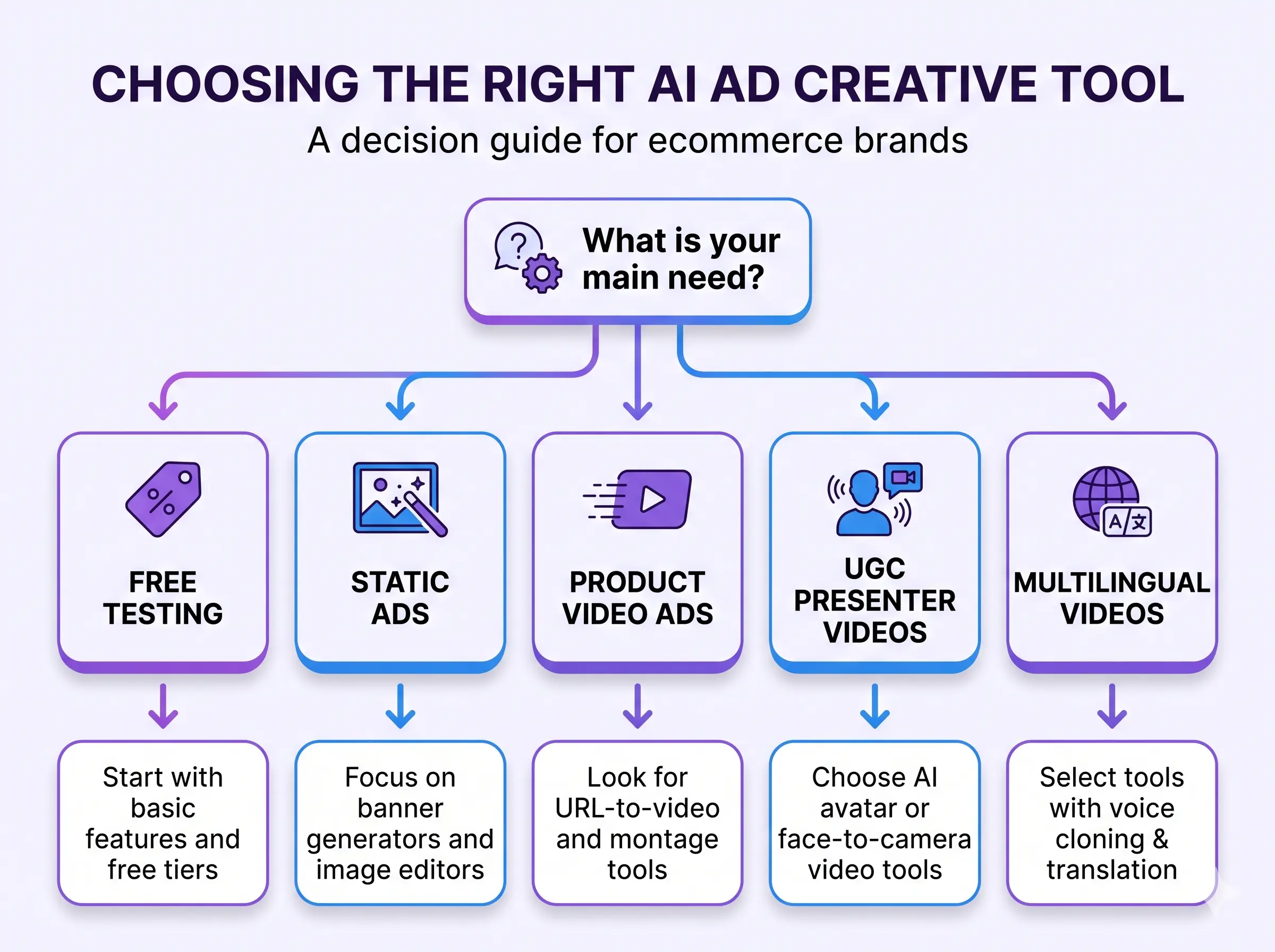
To narrow down the best AI tools for Facebook Instagram ad creatives ecommerce campaigns need, pick one tool that addresses your biggest bottleneck. Start with a focused test instead of subscribing to several platforms at once.
A Practical Workflow for AI Ad Creative Tools
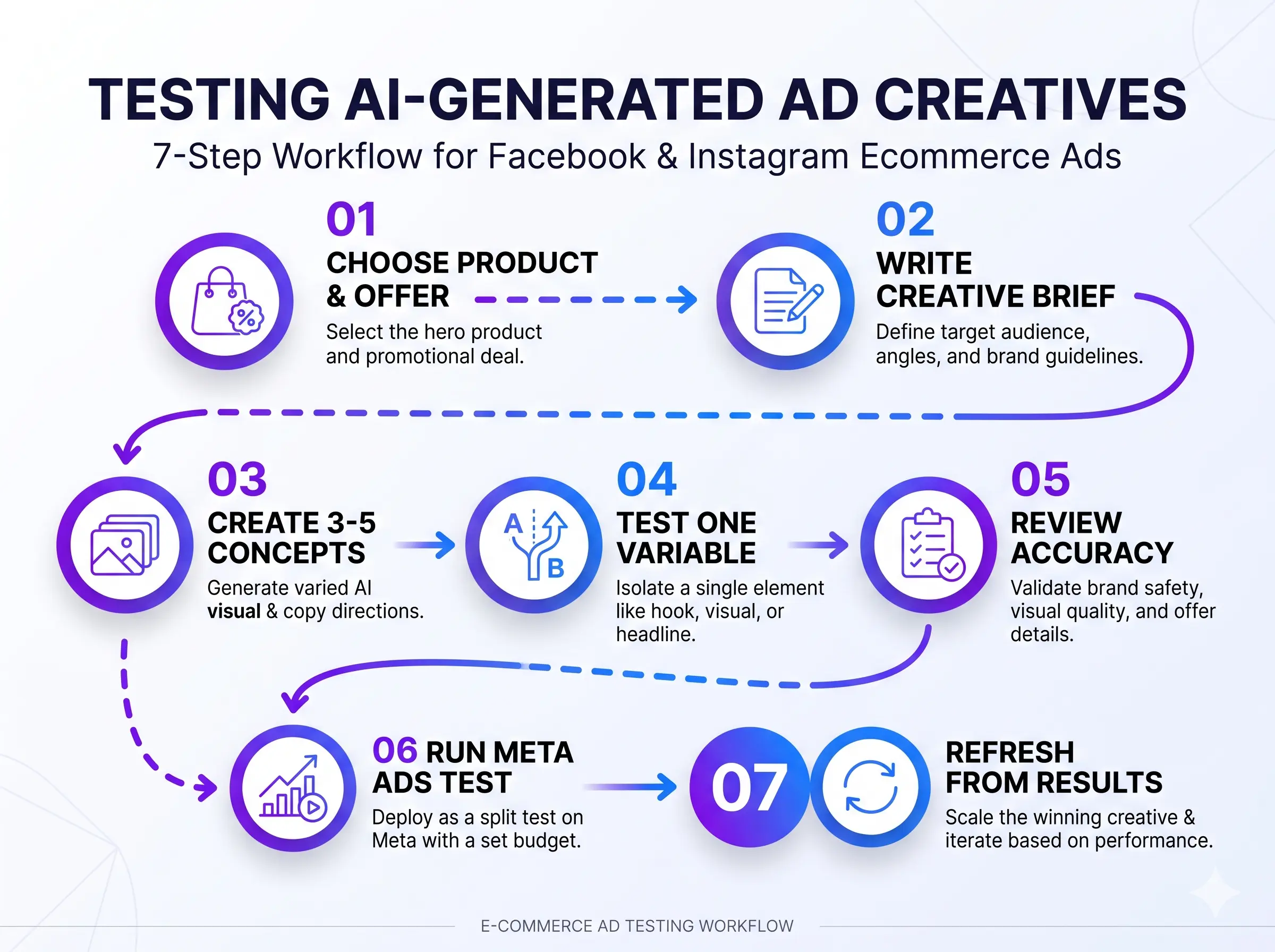
- Pick one product and one offer with a landing page ready for traffic.
- Write a short brief: audience, problem, benefit, provable claim, offer, and call to action.
- Make three to five different concepts, not dozens of near copies.
- Change one big element at a time, such as the hook or offer.
- Review every asset for product accuracy, spelling, price, and claims you can support.
- Test in Meta Ads Manager with reliable conversion tracking. Do not judge on clicks alone.
- Refresh from results, and pause weak ads only after enough data.
Meta explains setup in its Business Help Center. Shopify stores can use the Shopify Help Center.
Frequently Asked Questions
What are the best AI tools for Facebook Instagram ad creatives ecommerce stores can use for free?
Meta Advantage+ Creative is free with your ad spend. Canva, HeyGen, and Creatify have free plans, but HeyGen and Creatify add watermarks. AdCreative.ai, Arcads, and MakeUGC offer only paid plans or short trials.
Which tool should a Shopify store try first?
Try Meta Advantage+ Creative for free. For video, test Creatify. For static ads, trial AdCreative.ai and set a reminder to cancel.
Can AI ad creative tools make UGC-style ads?
Yes, but disclose synthetic presenters where required, and never invent a real customer's testimonial.
Can I run ads made with AI ad creative tools?
Usually yes, but check each tool's license, the platform's current ad policies, and your rights to any logos, faces, or music.
Final Verdict
No single pick among the best AI tools for Facebook Instagram ad creatives ecommerce brands can buy does every job. Start free with Meta Advantage+ Creative. Add AdCreative.ai for static ads, Creatify for product videos, and Arcads or MakeUGC for UGC-style tests. Use HeyGen for languages and Canva to finish.
The best AI tools for Facebook Instagram ad creatives ecommerce teams choose should support a clear testing process. Make a few genuinely different creatives, check every output, and test one clear goal.
Official Resources
- AdCreative.ai pricing
- Creatify pricing
- Arcads credits guide
- HeyGen pricing
- MakeUGC website
- Canva pricing
- Meta Ads Manager
Editorial note: features and prices may change. This is general information, not a guarantee of ad results.