Gemini Decisions API for Developers: How It Works, What It Costs, and Where It Fits
The Gemini Decisions API for developers is one of the more practical launches from Google this month. Instead of asking an AI model to write a long answer, you give it a list of options and it tells you which one fits, along with how confident it is. It’s fast, cheap, and built for the small decisions that sit inside almost every AI app.
Google announced it on November 11, 2026, powered by a new model called Gemini Decision 1. Below is a plain-English guide to what the Gemini Decisions API for developers does, what it costs, and who should try it. The product details come from Google’s own post, Gemini Decisions API: Fast, calibrated multimodal decisions, so the speed and benchmark claims are Google’s. For more stories like this, check our AI News & Updates section.
Table of Contents
What Is the Gemini Decisions API for Developers?
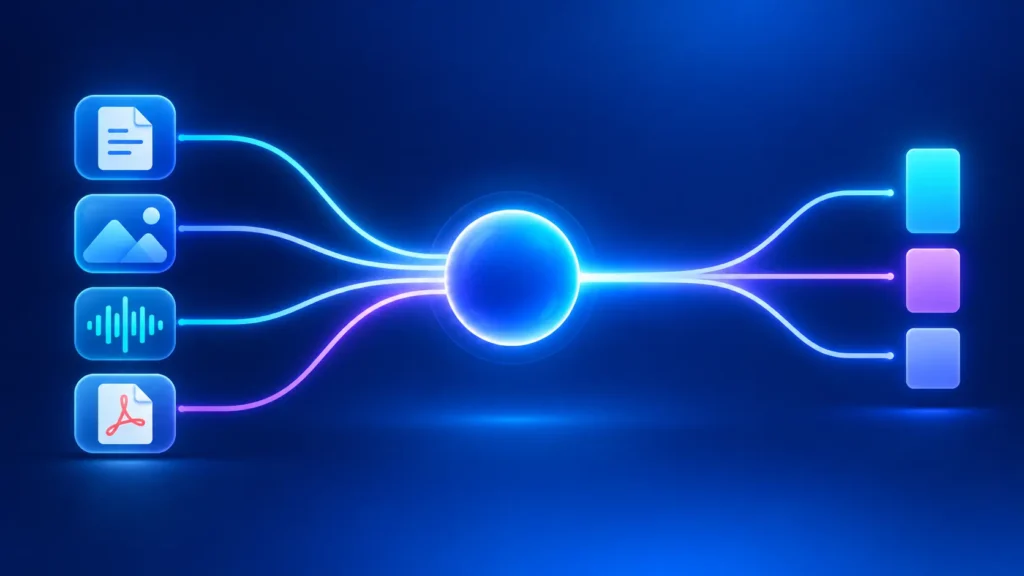
Most AI models generate text one token at a time. That’s great for writing, but slow and costly when all you need is a choice, like “yes or no” or “option B.” The Gemini Decisions API for developers skips the writing. Gemini Decision 1 scores your candidate options in a single pass and returns probabilities and confidence scores.
You send one input, which can mix text, images, audio, video, and PDFs, up to 256K tokens. Alongside it, you can ask up to 1,000 independent questions in a single request.
The Three Question Types
- Yes/no: estimates the chance a condition is true, such as “Is there a spill on this counter?”
- Multiple choice: picks from 2 to 255 options and gives a probability for every choice.
- Scored rubric: grades the input on an ordered scale you define, starting at zero.
Every answer comes with a confidence score from 0 to 1. That matters because your code can send low-confidence cases to a fallback or a human reviewer instead of trusting a shaky answer.
Speed and Price of the Gemini Decisions API for Developers
Here are the headline numbers Google reports:
- Latency: 150 to 250 milliseconds end to end, with a median of 50 to 100 ms of model compute.
- Price: $0.10 per million input tokens, and no charge for output tokens because there are none.
- Scaling: latency stays nearly flat from 1 to 100 questions in a request.
- Cost claim: nearly 5x cheaper than Gemini 3.5 Flash-Lite with the Interactions API across Google’s shared benchmark suite.
The billing is simple. Your shared input is charged once per request, and each question only adds its own instructions and criteria. Google says there are no variable thinking-token bills and no separate charges for audio transcription or OCR. There’s also a no-cost tier in Google AI Studio for prototyping.
What Can You Build With the Gemini Decisions API for Developers?
Google describes it as a control plane for bounded choices. Good fits include:
- Model routing: send easy questions to a fast model and hard ones to a stronger one.
- Tool selection: pick which tool an AI agent should call next.
- Policy checks: flag content that breaks a rule.
- Context grading: score whether retrieved documents are actually relevant.
- Multimodal checks: pair a call recording with account data, or a scanned claim with damage photos.
In its example, Google checks a photo of a breakroom counter before a meeting. A single request asks whether there’s a spill, what cleanup action fits, and how severe the mess is. The model answers all three at once.
Gemini Decisions API for Developers: How Google Uses It Internally
Google says its own teams already use the API:
- Gemini Notebook: routes each query to the right model and thinking level, which Google says gives everyday queries up to 40% lower latency.
- Stitch: generates playable wireframes of a product flow in seconds and applies voice or tap edits almost instantly.
- CC from Google Labs: picks the right emoji reaction from more than 200 options in a fraction of a second.
- Google Search: uses it as a safety layer to detect adversarial behavior in MCP tool use.
How the Gemini Decisions API for Developers Compares With Rivals
Google isn’t alone here. SiliconANGLE reports that Google compared its model with Jev and OpenAI’s Decisions API, a competing service launched last month. Google says it performed better on seven of the nine benchmarks it tested, while Jev proved slightly more cost-efficient. Japanese outlet Mynavi adds that Google’s API handles up to 1,000 questions per request and accepts audio, video, and PDFs directly, while OpenAI’s supports up to 400 questions and text, images, and JSON. You can read the SiliconANGLE report for more.
Mynavi also lists the base input price as $0.10 per million tokens for both Google and OpenAI, and $0.042 for Jev and Microsoft’s offering. Prices and features change fast, so check each provider’s page before you commit.
Who Should Try the Gemini Decisions API for Developers?
- App builders who currently use a large model just to classify or route requests.
- Teams with high volume, where shaving cost and milliseconds on every call adds up.
- Anyone building agents, since fast tool selection and safety checks make agents feel snappier.
If you only need a creative or long-form answer, a normal generative model is still the right tool. This API is for decisions, not essays.
How to Get Started With the Gemini Decisions API for Developers
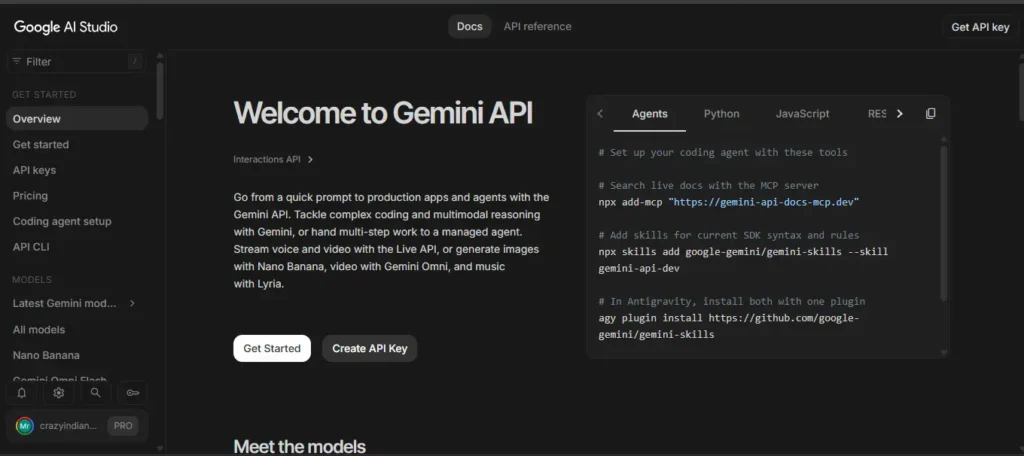
- Grab an API key in Google AI Studio.
- Try Google’s demo apps (Doorstep Parcels, Speed Sketch, and Find the Zoo Keeper).
- Follow the Python, JavaScript, or REST guides in the Decisions API documentation.
- Test it on a real routing or classification task and compare accuracy, speed, and cost with what you use today.
Google also says integrations are rolling out for OpenRouter, LangChain, Vercel, LiteLLM, Pydantic AI, Pipecat, LiveKit, and OpenCode, with Gemini in Google Cloud support coming soon. Browse our AI Tools collection for more developer-friendly picks.
What to Keep in Mind Before Using the Gemini Decisions API for Developers
- Benchmarks are Google’s. Run your own tests on your own data.
- Closed choices only. It scores options you define. It won’t write or explain.
- Calibration helps, not guarantees. Use the confidence score to catch uncertain cases, and keep a human in the loop for important decisions.
The Bottom Line
The Gemini Decisions API for developers shows where AI infrastructure is heading: smaller, specialized pieces that do one job quickly and cheaply, working alongside bigger models. If you’re building with Gemini, it pairs well with the model we covered in Gemini 4 Carbon now available, and you can catch up on the month in our Google AI news October 2026 recap.
Source: Google, “Gemini Decisions API: Fast, calibrated multimodal decisions”, November 11, 2026, with additional reporting from SiliconANGLE and Mynavi.